Professional Zoom Backgrounds for Work & Online Meetings
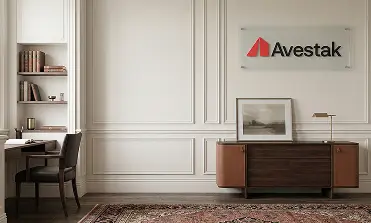
Professional virtual backgrounds designed specifically for Zoom. Whether you're on a client call, a team standup, or a company-wide webinar, these backgrounds make you look polished and keep distractions out of the frame. Add your logo for a branded Zoom background your whole team can use.
No backgrounds yet
Backgrounds will appear here once they are added.
Why Your Zoom Background Matters
Zoom is the most widely used video meeting platform in professional settings, and your virtual background is often the first visual impression people form before you start speaking. A clean, well-designed Zoom background signals that you're prepared, professional, and intentional about how you show up — whether you're pitching a prospect, leading a workshop, or joining a quick sync.
A generic blurred background or a cluttered home office doesn't send the same message. And a low-resolution image that creates visual artifacts around your head is worse than no background at all. That's why purpose-built Zoom backgrounds exist — they're designed around how Zoom actually renders virtual backgrounds.
How Zoom Handles Virtual Backgrounds
Zoom's background engine works differently from Microsoft Teams or Google Meet. It uses a combination of AI segmentation and optional green screen detection to separate you from the background. Images with realistic depth, natural lighting, and moderate contrast tend to render best — that's exactly how our Zoom backgrounds are built.
Key technical considerations we design for:
- Aspect ratio — 16:9 ratio matching Zoom's default video frame
- Resolution — 1920x1080 (HD) or 3840x2160 (4K) for maximum clarity
- Color and lighting — Balanced tones that blend naturally with typical webcam lighting conditions
- Edge-friendly composition — No high-contrast elements near the edges where segmentation artifacts are most visible
Branded Zoom Backgrounds for Teams
For organizations that want visual consistency across every Zoom call, custom logo backgrounds are the most effective solution. Your company logo, colors, and identity are embedded into a professionally designed scene that every team member can use.
This is especially valuable for sales teams on client calls, consultants in advisory sessions, and executives presenting to stakeholders. One branded Zoom background creates instant consistency across the entire organization.
How to Set Up Your Zoom Background
Adding a virtual background in Zoom takes less than a minute. Open Zoom, go to Settings, select "Backgrounds & Effects," click the plus icon, and upload your image. For a detailed walkthrough with screenshots, see our step-by-step Zoom background setup guide.
Get Your Backgrounds for Zoom
VirtualBackgrounds creates premium Zoom backgrounds for professionals and teams who want to look sharp on every call. Choose from office environments, clean gradients, or industry-specific designs — and have them ready in minutes.
Frequently Asked Questions
The recommended size is 1920x1080 pixels (16:9 aspect ratio). For higher quality, especially in recordings or webinars, use 3840x2160 (4K). Zoom will accept other sizes but may crop or scale them.
Yes. Zoom supports virtual backgrounds without a green screen on most modern computers. A green screen improves edge quality, but most users don't need one for professional results.
Most orders are generated and ready for download within a few minutes. You'll receive image files that you can upload directly to Zoom.
Yes. Our backgrounds are standard image files that work across Zoom, Teams, Google Meet, and Webex. The same file can be uploaded to any platform.